Why Do Some LED Lights Flicker on Camera 7 Best Fixes?

Time:2026-09-27 Author:Mason
0%

A camera can turn a steady-looking room into a strip of pulsing light. If you have wondered, “why do some led lights flicker on video camera,” the short answer is that cameras and LEDs do not always capture or produce light in the same way. Many LED drivers rapidly switch current to control brightness. A camera’s shutter timing, frame rate, and rolling sensor readout can expose those changes as bands, flashes, or uneven brightness.

The effect depends on more than the bulb. A phone recording at 30 frames per second may show dark bars under a dimmed LED, while the same lamp appears stable to the eye. IEEE Recommended Practice 1789-2015 addresses modulation in high-brightness LEDs, and U.S. Department of Energy solid-state lighting research has examined temporal light artifacts and measurement methods. These sources matter because flicker can be invisible in person yet obvious in recorded footage. Small differences in dimmer compatibility or camera settings can change the result.

Lighting researcher Dr. Michael Poplawski, whose work includes LED lighting and measurement at Pacific Northwest National Laboratory, has discussed the importance of measuring light behavior rather than judging it by appearance alone. In practical terms, a phone camera is a useful clue, not a calibrated instrument. That distinction is easy to overlook. The seven fixes below focus on the likely causes: adjusting shutter speed, changing frame rate, testing another dimmer level, and checking the lamp or power supply. Some fixes are simple; others require replacing incompatible equipment.
Why Do Some LED Lights Flicker on Camera 7 Best Fixes?

How LED Flicker Appears on Camera

How LED Flicker Appears on Camera

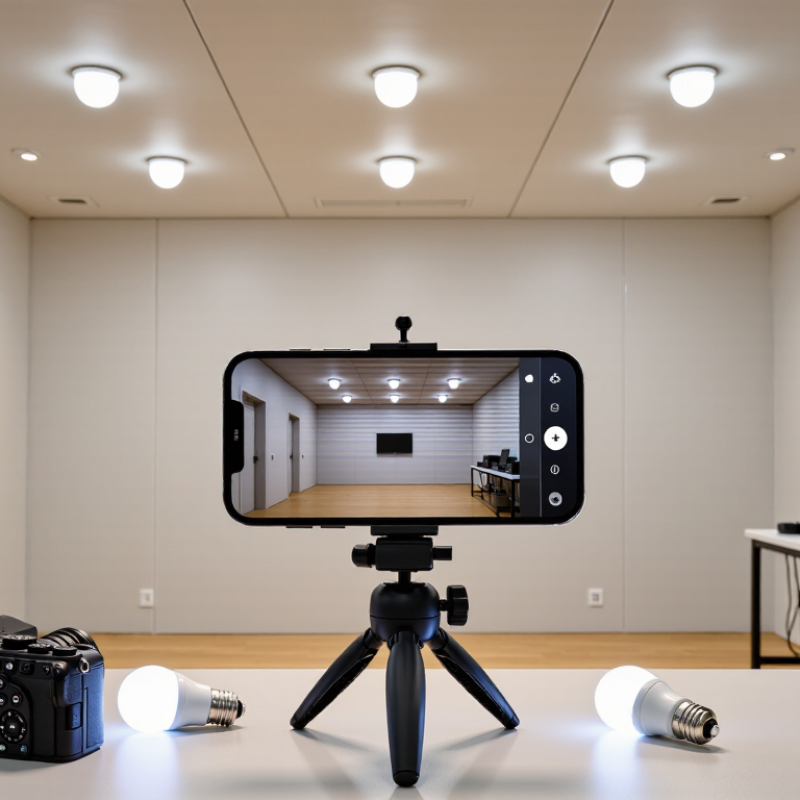
An LED lamp can look steady to your eyes yet pulse in a recording. The camera may capture brief changes in its output that are too fast to notice in the room. On screen, this can appear as brightness that rises and falls, even when the lamp seems unchanged. Sometimes the effect is subtle.

A more obvious clue is a dark or bright band moving across the image. This often happens when the camera’s rolling shutter reads the frame line by line while the LED output cycles. The pattern may shift when you change the shutter speed or frame rate. Color can also vary between frames, especially in dim scenes where automatic exposure keeps adjusting. A phone recording a white wall under ceiling lights may show faint stripes that were invisible to the eye.

Check the footage, not just the live preview. Record a few seconds at different frame rates and shutter settings, keeping the light and camera position fixed. If the bands change, the interaction between the light and camera settings is likely involved. That test is useful, though not perfect; exposure adjustments can confuse the result. Flicker also differs between lamps, so one camera setting may not solve every room. It can be frustrating. The image gives clues, but it does not always reveal the exact cause.

What Causes Flickering in Recorded LED Light

A light can look steady to your eyes and still flicker in a recording. Many LEDs switch on and off rapidly to control brightness, a method called pulse-width modulation. The camera may capture those changes as bands, pulsing brightness, or uneven color. You might notice it most when the lamp is dimmed.

Camera timing matters. Video records frames at set intervals, while the LED cycles at its own rate. If the two rhythms clash, flicker appears. Rolling-shutter sensors can make the effect look like dark stripes moving across a wall. Mains-powered lights may also vary with electrical frequency, and inexpensive drivers can smooth that variation poorly. Tiny differences become obvious on screen.

Other causes include incompatible dimmers, low brightness settings, and mixed light sources. A phone may expose each frame differently, making a weak flicker seem stronger. In practical tests, changing the shutter speed or frame rate often helps, but it is not a universal fix. Raise the light’s brightness, test it without a dimmer, or use a flicker-free setting if available. Check a short recording on the actual camera; preview screens can hide problems. I have sometimes blamed the lamp too quickly. The camera settings were part of it.

How Camera Settings Influence LED Flicker

Camera settings can make a steady LED appear to pulse. Many LEDs dim by switching rapidly on and off, while a camera records frames at its own rate. When those rhythms clash, dark bands or brightness shifts may appear. This is often more noticeable with slow-motion video, certain shutter speeds, or automatic exposure that keeps changing in dim rooms.

For steadier footage, match shutter speed to the local power frequency when practical. In 50 Hz regions, try 1/50 or 1/100 second; in 60 Hz regions, try 1/60 or 1/120. These are starting points, not guarantees, because LED drivers vary. If your camera offers anti-flicker settings, test them under the actual lights. Lock exposure and white balance, too. Otherwise, the camera may chase small brightness changes and make flicker look worse.

Tips: Record a short test clip before filming. Change shutter speed in small steps and review the footage on a larger screen. If bands remain, adjust frame rate or use a flicker-free lighting mode if available. I once assumed a light was faulty; the camera setting was the real issue. Still, these fixes won’t solve every case.

Seven Practical Fixes for Flickering LED Lights

LED flicker on camera often comes from a mismatch between the light’s modulation and the camera’s frame rate or shutter speed. The IEEE 1789-2015 recommended practice sets a low-risk modulation level below 0.025 times frequency for modulation under 90 Hz. That benchmark is useful, but it does not guarantee flicker-free video. Try these seven practical fixes: 1) set the camera’s anti-flicker option to the local power frequency; 2) test a shutter speed such as 1/50 or 1/60 second; 3) adjust frame rate and shutter together; 4) raise the light’s dimmer level; 5) use a dimmer rated for that LED; 6) replace a noisy or incompatible driver; 7) choose a lamp with published flicker measurements. Small changes matter.

Test each fix with the actual camera, not only your eyes. A phone’s slow-motion mode can reveal bands, but it is only a clue. The U.S. Department of Energy’s solid-state lighting guidance describes temporal light artifacts as changes in light output over time; flicker metrics help assess them, though camera results also depend on exposure and sensor readout. If flicker remains, try a different lamp or driver before changing the whole setup. Check for loose connections only with power safely off; have an electrician inspect persistent electrical problems. One imperfect detail: matching shutter settings can reduce bands without curing an unstable light source.

Why LEDs flicker on camera

In some LED lamps, light output varies with the AC power supply. Full-wave rectification can produce ripple at twice the mains frequency: 100 Hz on a 50 Hz supply and 120 Hz on a 60 Hz supply. A camera’s shutter and frame rate can interact with this variation, creating visible flicker or banding. Actual lamp behavior depends on its driver.

Seven practical fixes: 1. Enable your camera’s anti-flicker setting. 2. Match shutter speed to local mains frequency. 3. Test a different frame rate. 4. Use a slower shutter when the shot allows. 5. Try a different dimmer level or avoid deep dimming. 6. Use a different LED lamp with a well-designed driver. 7. Light the scene with a steady alternative source.

How to Test and Prevent Flicker in Future Recordings

A flickering LED can look steady to your eyes but appear as dark bands or pulsing brightness on video. The camera samples light in frames, while many LEDs pulse rapidly or interact with their power supply. Test the actual setup: record a gray wall under the intended lighting, then review the clip frame by frame. Try several shutter speeds, such as 1/50 and 1/60 second, and compare results. If bands remain, change the light’s dimmer setting or use a flicker-free mode, if available. Small changes can matter.

The IEEE 1789-2015 recommended practice links acceptable light modulation to frequency, with stricter guidance at lower frequencies. It was developed to address human health and comfort, not to guarantee flicker-free camera footage. Treat it as useful context, not a camera test. For dependable results, repeat your test at the recording frame rate, shutter speed, brightness, and distance you plan to use. A phone preview may hide subtle flicker. I have missed it before.

Tips: Keep a short test clip from each lighting setup. Check slow-motion footage, where flicker often becomes easier to spot. Avoid dimming until you have tested it; some drivers flicker more at low output. If you cannot change the light, adjust shutter speed in small steps and retest. The fix is sometimes awkward, but the recorded image is the real measure.

FAQS

Why can a steady LED look like it is flickering on video?

Many LEDs pulse rapidly, while a camera records separate frames. When their timing clashes, dark bands or brightness shifts can appear.

Which shutter speeds should I test?

In 50 Hz regions, try 1/50 or 1/100 second. In 60 Hz regions, try 1/60 or 1/120. These are starting points, not guarantees.

How can I test a lighting setup?

Record a gray wall under the lights you plan to use. Review the clip frame by frame. Keep the camera settings and light distance consistent.

Can slow-motion video help reveal flicker?

Yes. Slow motion can make bands easier to spot. It is a clue, though, not a complete test.

Why should I lock exposure and white balance?

Automatic adjustments may react to small brightness changes and make pulsing look worse. Lock both settings during a test.

Can dimming cause more flicker?

It can. Some LED drivers flicker more at low output. Raise the dimmer level and compare another short clip.

What if the bands remain after changing camera settings?

Try adjusting the frame rate, using a flicker-free mode, or testing another compatible dimmer or driver. I once blamed the lamp. My shutter setting was the issue.

What should I do about persistent electrical problems?

Stop adjusting the setup with power on. Have an electrician inspect persistent problems. Matching camera settings may reduce bands without fixing an unstable light source.

Conclusion

LED flicker on camera can appear as rolling bands, pulsing brightness, or uneven changes in color, even when a light looks steady to the naked eye. The question “why do some led lights flicker on video camera” often comes down to how a light’s power supply pulses and how that timing interacts with a camera’s shutter speed, frame rate, and exposure settings. Dimming methods, unstable power, and differences between lighting and camera frequencies can also make flicker more noticeable.

Seven practical fixes include adjusting shutter speed or frame rate, changing the light’s brightness, trying a different dimming level, using a steadier power source, increasing ambient illumination, repositioning or replacing a problematic light, and testing settings before recording. To prevent flicker in future recordings, review footage on camera, change one setting at a time, and check the lighting under the same conditions you expect to film in.

Mason

Mason

Mason is a seasoned marketing professional with a deep expertise in the company's offerings and a passion for driving brand awareness. With a strong background in digital marketing strategies, he has an innate ability to connect with diverse audiences and effectively communicate product benefits.......