How to Fix LED Lights Flickering on Video Camera?

Time:2026-05-29 Author:Aria
0%

Flickering LED lights in video recordings can be a frustrating issue for many filmmakers and content creators. According to Dr. Emily Carter, a renowned lighting expert, “Understanding why do some LED lights flicker on video camera is essential for achieving professional-quality footage.” Her insights shed light on the technical aspects behind this common problem.

LED lights often flicker due to their unique circuitry. These lights can interact poorly with certain camera settings or frame rates. For instance, a mismatch between the light's frequency and the camera's shutter speed may cause visible flickers in the footage. This effect can be particularly pronounced in environments with various light sources.

Correctly diagnosing the flickering is crucial. While some may assume it’s simply a technical glitch, real problems may stem from the adapter or dimmer used. Creators often overlook details like these. Keeping a meticulous eye on all components can prevent headaches during post-production. Engaging with industry experts can deepen understanding and reduce these frustrating interruptions.
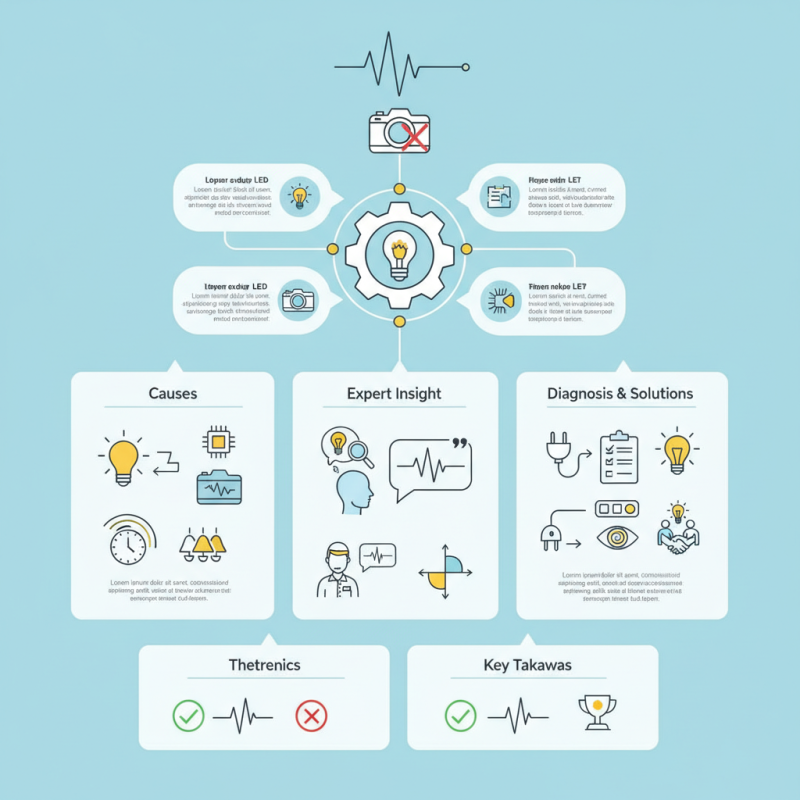
How to Fix LED Lights Flickering on Video Camera?

Understanding the Causes of LED Light Flickering in Video Cameras

LED light flickering in video cameras can be a frustrating issue for filmmakers and content creators. Understanding the causes is crucial for effective troubleshooting. One significant factor is the frequency of the LED lights. Most LED lights operate at 50Hz or 60Hz, depending on the region. A mismatch between the camera's shutter speed and the LED flicker frequency can result in visible flickering in recordings. The camera might capture only parts of the flicker cycle, leading to inconsistent brightness.

Another cause is the power supply quality. LED lights often rely on electronic drivers, which can introduce fluctuations in power. A study from the International Journal of Engineering Research and Applications indicated that low-quality drivers could cause significant flickering, with reports showing up to a 30% reduction in light stability. Furthermore, environmental factors, like changes in voltage, can exacerbate flickering. It is essential to ensure a stable power source to mitigate these issues.

Lastly, the camera's settings play a vital role. High shutter speeds can accentuate flicker, especially in poorly designed lighting circuits. Adjusting the shutter speed to match the light frequency might prevent flickering. Regular maintenance and calibration of both lights and cameras will contribute to better performance. Being aware of these elements can help in creating smoother video content while reducing frustrations.

Identifying the Type of LED Lights Used in Your Setup

Identifying the type of LED lights in your video setup is crucial. Various types of LEDs can produce different flickering patterns. Some common types include standard LEDs, pulse-width modulation (PWM) controlled LEDs, and those using constant current drivers. Each type has unique characteristics that affect performance under video recording conditions.

According to a study by the National Institute of Standards and Technology, over 50% of flickering issues stem from PWM-controlled LEDs. These lights can rapidly turn on and off, creating an inconsistent brightness that is noticeable on camera. When filming, this flicker may not be visible to the naked eye, but it can ruin video quality. Ensuring your lights use robust drivers can mitigate such problems.

Furthermore, the choice of dimming options plays a significant role. A poorly designed dimmer for LED lights can also exacerbate flickering. Data from lighting industry reports indicates that about 30% of videographers experience lighting issues due to incompatible dimmers. Assessing the combination of your LEDs and dimmers is essential to achieve optimal results.

Flicker Frequency of Different LED Light Types

This chart displays the flicker frequency (in Hz) of various types of LED lights. Understanding these frequencies can help in addressing the flickering issue when recording video.

Adjusting Camera Settings to Minimize Flickering Effects

When you encounter flickering LED lights on a video camera, adjusting camera settings can be a game changer. Start by examining your frame rate. A mismatch between your camera's frame rate and the electrical frequency of the lights can lead to flicker. Most regions use 50Hz or 60Hz electricity, so set your camera's frame rate to match. If the settings seem overwhelming, don't hesitate to try different combinations until the flickering reduces.

Another essential setting to consider is shutter speed. A shorter shutter speed often enhances flicker visibility. Try adjusting it to a value that aligns with the frame rate. For instance, if filming at 30fps, a shutter speed of 1/60 can be effective. Make minor tweaks and observe how they affect the image. Use the live view to see real-time adjustments.

Check your exposure settings as well. If they are too high, they can amplify flickering. Lowering the gain or adjusting aperture can help smooth out the light. It's critical to strike a balance between visibility and flicker minimization. Sometimes the perfect setting requires a bit of experimentation. Don't shy away from fine-tuning these settings repeatedly for the best results.

Using External Solutions to Stabilize LED Light Output

Flickering LED lights can ruin your video quality, disrupting important moments. To address this, using external solutions can stabilize your LED light output effectively. One common method is employing diffusers. These can soften harsh LED light, reducing flicker and creating a more uniform glow. The right diffuser can alter the light’s appearance, bringing warmth and richness to your shots.

Another reliable approach is adjusting power settings. LED lights often flicker when their voltage is inconsistent. A portable power supply can stabilize voltage and maintain consistent brightness. This can be particularly beneficial during outdoor shoots, where power supply is unpredictable. Experimentation is crucial; sometimes, using a power adjustment tool can make a significant difference, but it may take time to optimize.

Don’t forget the impact of your camera settings. Frame rates and shutter speeds play a critical role. Matching your camera’s settings to the LED light frequency can also eliminate flickering. This requires testing different combinations to find what works best for your setup. Results might not always be perfect; adjustments may be needed to fully stabilize the light. Such reflections can lead to better practices in future shoots. Your patience will yield improvement in the overall quality of your videos.

Replacing LED Lights with Flicker-Free Alternatives

Flickering LED lights can ruin a video shoot. They are a common issue for videographers. One of the best solutions is replacing these lights with flicker-free alternatives. This can dramatically improve your video quality.

Flicker-free lights use different technology to eliminate that annoying strobe effect. Many styles are available, from bulbs to panels. Look for lights that offer stable color temperatures. This ensures your lighting remains consistent in every shot. Your audience will notice the difference. Good lighting enhances the overall mood of your footage.

Before making a switch, consider the costs. Some flicker-free options can be pricey. Investing in quality lighting, however, pays off in the long run. Time spent fixing flickering issues can slow down your workflow. The right lighting keeps your project on track and meets deadlines. Take time to research. Evaluate which options fit your needs and budget best. This choice impacts your work quality significantly.

How to Fix LED Lights Flickering on Video Camera? - Replacing LED Lights with Flicker-Free Alternatives

Problem Description Possible Causes Flicker-Free Alternatives Recommended Specifications
LED lights flicker while recording. Incompatibility with camera shutter speed. Flicker-Free LED Bulbs 3000K - 5000K color temperature; >80 CRI.
Flickering during slow-motion capture. Insufficient refresh rate of LED. High-Speed Flicker-Free LEDs 1000Hz refresh rate or higher.
Unstable brightness changes in footage. Poor quality LED driver. LEDs with Built-In Regulator Stable output at varying loads.
Color banding in video captured with LEDs. Inconsistent light output frequency. Flicker-Free Film Lights Continuous output with versatile setups.

FAQS

: What causes LED light flickering in video cameras?

: Flickering may happen due to the frequency mismatch between the LED lights and the camera’s shutter speed.

How does power supply quality affect LED flickering?

Low-quality electronic drivers can create power fluctuations, leading to visible flickering in recordings.

What camera setting adjustments can minimize flicker?

Adjusting the frame rate and shutter speed to match the light frequency can help reduce flickering effects.

How can diffusers help with flickering LED lights?

Diffusers soften the LED light, creating a more uniform glow and reducing flicker visibility.

Why is experimentation important when adjusting camera settings?

Trying different combinations of settings can help identify the best configuration for reducing flicker.

What role does exposure play in flickering issues?

High exposure settings can amplify flickering; low gain or appropriate aperture can mitigate the problem.

How can external power supplies stabilize LED lights?

They can provide consistent voltage, helping to maintain steady brightness during shoots, especially outdoors.

Can flickering still occur after adjustments?

Yes, results may vary, and further tweaks might be necessary to fully stabilize LED light output.

Is it critical to maintain both lights and cameras?

Regular maintenance and calibration contribute significantly to better overall performance and reduce flickering.

How can understanding these issues improve video quality?

Being aware of the factors affecting flicker allows for smoother video content creation and better shooting practices.

Conclusion

Flickering LED lights can be a common issue when recording video, leading to distracting visual effects. Understanding why do some LED lights flicker on video camera is crucial for achieving a clean and professional look. The flickering results from various factors, including the type of LED bulbs used, the frequency of your power supply, and the camera's settings.

To address this problem, it's important first to identify the specific type of LED lights in your setup and the potential causes of their flickering. Adjusting your camera's settings, such as frame rate and shutter speed, can often minimize these flickering effects. If these adjustments don't resolve the issue, consider using external solutions like dimmers or stabilizers to create a more consistent light output. Lastly, for a long-term fix, replacing traditional LED lights with those specifically designed to be flicker-free can ensure smooth recording and improve overall video quality.

Aria

Aria

Aria is a dedicated marketing professional with a deep passion for innovative strategies and a keen understanding of our company's product offerings. With a wealth of experience in the industry, Aria excels at crafting engaging content that highlights the unique features and benefits of our......