In today’s smart home landscape, knowing how to connect smart LED bulbs to home automation mesh is essential. These bulbs enhance convenience and energy efficiency. However, many users struggle with integration. This guide aims to simplify the process and offer practical solutions.
Connecting smart LED bulbs can seem daunting. Yet, with the right steps, they can become an integral part of your home. You'll learn about compatibility, mesh networks, and setup tips that ensure successful integration. Reliable connections improve not just device performance but also your overall smart home experience.
As we delve into these methods, you'll notice areas for improvement. Some users may find certain steps confusing. Reflecting on your unique setup can lead to better results. Let’s explore the top tips to seamlessly connect your smart LED bulbs and enhance your home automation system.
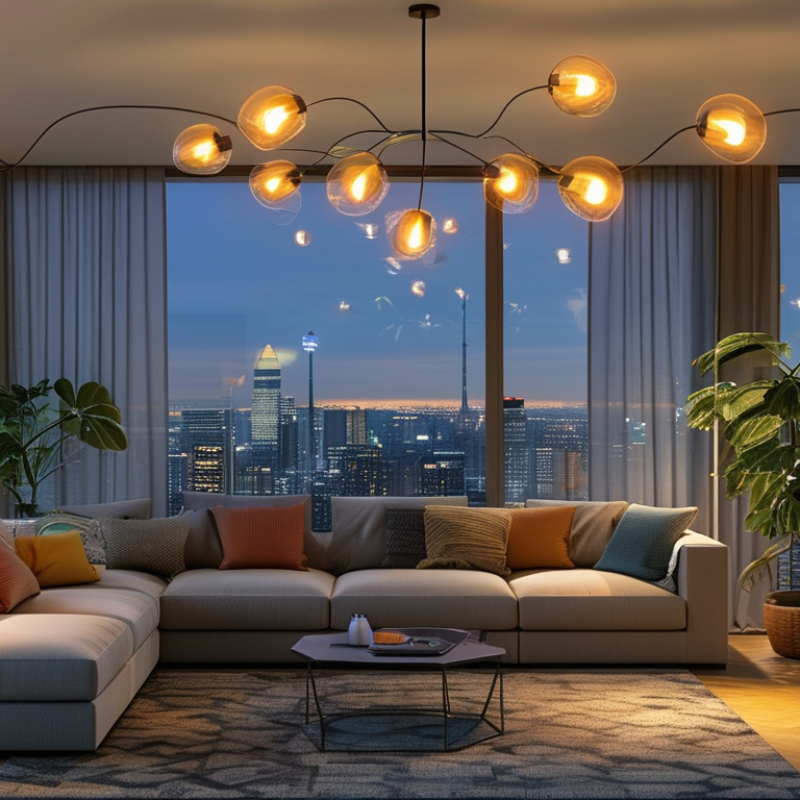
Smart LED bulbs are becoming essential in modern homes. They offer convenience and energy efficiency. However, understanding how they seamlessly integrate with home automation systems is crucial. These bulbs connect via Wi-Fi or Bluetooth, allowing them to work together. This connectivity provides flexibility in controlling brightness and color through smartphones or voice commands.
Home automation systems create a mesh network, enabling devices to communicate efficiently with each other. It allows for better control over smart LED bulbs. Challenges may arise during setup. For instance, ensuring proper compatibility and signal strength is vital. A weak connection can hinder the performance of smart devices. Troubleshooting issues like network interference can become a learning experience for users.
Embedding smart LED bulbs into home automation allows for a personalized environment. Engaging with various settings can lead to discovering unique lighting effects. Yet, users must reflect on their preferences and how they wish to utilize these technologies. Balancing functionality and aesthetics may require experimentation. Each home presents distinct challenges and solutions in creating a cohesive smart environment.
Choosing compatible smart LED bulbs for your home automation mesh is crucial. Research shows that over 50% of smart home users reported issues with device compatibility. This indicates the importance of selecting products that can seamlessly integrate into your network. When selecting your smart LED bulbs, consider their communication protocols. Zigbee and Z-Wave are popular choices, as they often guarantee better compatibility with various home automation systems.
Additionally, make sure the bulbs have the right specifications for your home’s infrastructure. For instance, energy efficiency ratings, such as the ENERGY STAR certification, can enhance performance and reliability. In fact, LED bulbs with this certification typically consume 75% less energy compared to incandescent bulbs. Look for bulbs with a color temperature range that suits your environments, such as warm white for relaxation and cool white for productivity.
Another point for consideration is software updates. Many smart devices require regular firmware updates to function correctly within a mesh network. Some users may overlook this aspect, leading to connectivity issues. Regularly check for updates and watch for community feedback on specific bulb models. Engaging with fellow users can provide insights that technical specifications may not highlight.
| Method | Compatibility | Connection Type | Installation Ease | Control Options |
|---|---|---|---|---|
| Wi-Fi Connection | Most Smart Bulbs | Wireless | Easy | App, Voice |
| Zigbee Protocol | Zigbee Compatible Bulbs | Mesh Network | Moderate | App, Voice |
| Z-Wave Protocol | Z-Wave Compatible Bulbs | Mesh Network | Advanced | App, Voice |
| Bluetooth Connection | Select Bluetooth Bulbs | Wireless | Very Easy | App |
| Hub-based Connection | Bulbs Compatible with Hub | Wired/Wireless | Moderate to Easy | App, Voice, Switch |
| IFTTT Integration | Many Smart Bulbs | Cloud | Easy | App, Voice, Automation |
| Stand-alone Control | General Bulbs | None | Very Easy | Switch |
| API Control | Programmable Bulbs | Internet | Advanced | App, Custom |
| Voice Assistant Integration | Various Smart Bulbs | Wireless | Easy | Voice |
Setting up a central hub for smart LED bulb connectivity is essential for any smart home. A well-chosen hub allows seamless communication between your bulbs and other devices. It acts as the brain of your home automation system. When choosing a hub, consider its compatibility with various smart devices. You can enhance the user experience significantly by connecting multiple device types.
Connecting your LED bulbs to the hub might not go as smoothly as planned. Configuration could be challenging, requiring multiple attempts. Some users find that firmware updates are necessary for optimal performance. During setup, ensure your hub is close to the bulbs for better signal strength. This can reduce connectivity issues later on. If problems persist, consulting community forums can provide invaluable insights.
Establishing routines and automations is a great way to test your system. Adjusting settings to meet your needs may take time. However, getting familiar with the interface is rewarding. Regularly reviewing your setup lets you refine your automation processes. By doing so, you create a more responsive environment, enhancing daily convenience.
Connecting smart LED bulbs to home automation systems can enhance your living space and improve energy efficiency. Mobile apps and voice assistants play a crucial role in this integration. According to a recent market report, over 70% of smart bulb users leverage mobile apps for control. These apps allow you to customize settings, create schedules, and monitor energy usage, fostering an intuitive experience.
When selecting a mobile app, consider compatibility. Many apps support multiple brands, but ensure that they can integrate seamlessly with your other smart devices. Voice assistants like Alexa or Google Assistant can also be configured to manage your bulbs. A seamless connection can be established in just a few steps. Start by downloading the appropriate app and following the on-screen instructions to link your bulbs. Voice commands can then activate lights or adjust brightness levels effortlessly.
Optimize your setup by grouping bulbs in the app. This allows you to control multiple lights at once. Reflect on your home’s layout. Position bulbs in strategic locations to maximize their utility. Ensure your Wi-Fi coverage is strong in all rooms. As you may experience connectivity issues in larger spaces, consider enhancing your network. Testing different configurations can lead to better performance.
When optimizing the performance of smart LED bulbs in a home automation setup, it's crucial to ensure their connections are stable. These bulbs often rely on a mesh network, which needs to be properly configured. If you experience connectivity issues, check the placement of the bulbs. They should be within the range of your hub to maintain a strong signal. Walls and large objects can block signals, leading to frustrating disruptions.
Troubleshooting may not be straightforward. Sometimes, the bulbs fail to connect due to firmware inconsistencies. Regularly updating the firmware can improve functionality. Additionally, consider power cycling the bulbs. Turning them off and on again can resolve many temporary glitches. It's essential to verify that the bulbs are compatible with your home automation system. Sometimes, devices just won't mesh well together, and that requires a different approach.
Connecting bulbs to a mesh system can feel daunting. Network congestion from other devices may also affect performance. Monitor the number of devices connected and reduce unnecessary ones. This attention to detail can make a significant difference in how well the smart LED bulbs function.
: Smart LED bulbs are energy-efficient lighting options that connect to home networks. They can be controlled remotely via apps or voice.
They connect through Wi-Fi or Bluetooth, creating a network for smooth communication with other smart devices in the home.
Users may face difficulties like compatibility issues, weak signal strength, or network interference. Troubleshooting can help discover solutions.
A central hub ensures seamless communication between bulbs and devices. It enhances functionality and allows integration of different smart products.
Positioning the hub close to the bulbs can improve signal strength. Regular firmware updates may also enhance performance.
Users should reflect on their preferences and needs. Adjusting settings for optimal use may require testing and time.
Experimenting with different settings can lead to discovering unique lighting effects that enhance the overall atmosphere of a home.
Yes, many users experience challenges. Multiple attempts may be necessary to configure their systems correctly.
Consulting community forums can provide helpful insights and solutions from other users who face similar issues.
Regular reviews allow users to refine automation processes, creating a more efficient and responsive smart home environment.
In the journey of how to connect smart LED bulbs to home automation mesh, understanding the fundamentals of smart LED bulbs and home automation systems is crucial. Firstly, selecting compatible smart LED bulbs that seamlessly integrate with your existing home automation environment lays the groundwork for optimal functionality. Once the right bulbs are chosen, setting up a central hub becomes a key step to ensure reliable connectivity.
Next, using mobile apps and voice assistants is imperative for configuring the smart LED bulbs effectively. These tools often simplify the installation process and enhance user experience by enabling remote control and automation features. Finally, to maintain a smooth operation, optimizing performance and troubleshooting any connectivity issues are essential steps. By following these methods, you can successfully connect and enjoy the full benefits of smart LED bulbs within your home automation mesh.
